

Construction teams don’t lose time because they’re lazy - they lose time because information is fragmented. Drawings live in email threads, progress photos sit on someone’s phone, change orders get approved in chats, and the schedule is “somewhere in a spreadsheet.” When a project has multiple contractors and tight deadlines, these small gaps turn into expensive delays.
This guide explains what it really takes to plan, design, and ship a construction mobile product: the users you should prioritize, proven app types, advanced features that matter on job sites, architecture decisions, realistic cost ranges, and a checklist to prepare before development starts.
Who the App Is For
The biggest mistake teams make is building a “construction app” for everyone at once. In real projects, different roles use software in completely different ways:
- Site supervisors need quick daily logs, photo evidence, and punch lists that don’t slow them down.
- Project managers need progress visibility, schedule updates, and approvals without chasing ten people.
- Subcontractors want clear tasks, drawings, and a simple way to report blockers.
- Inspectors and safety officers rely on checklists, issue tracking, and audit-ready records.
- Clients/owners often need a dashboard view: milestones, budget movement, and key risks.
When planning app development for construction companies, decide which role is your “primary daily user.” That choice will shape UI complexity, offline needs, and what success looks like.
Types of Apps for Construction Projects
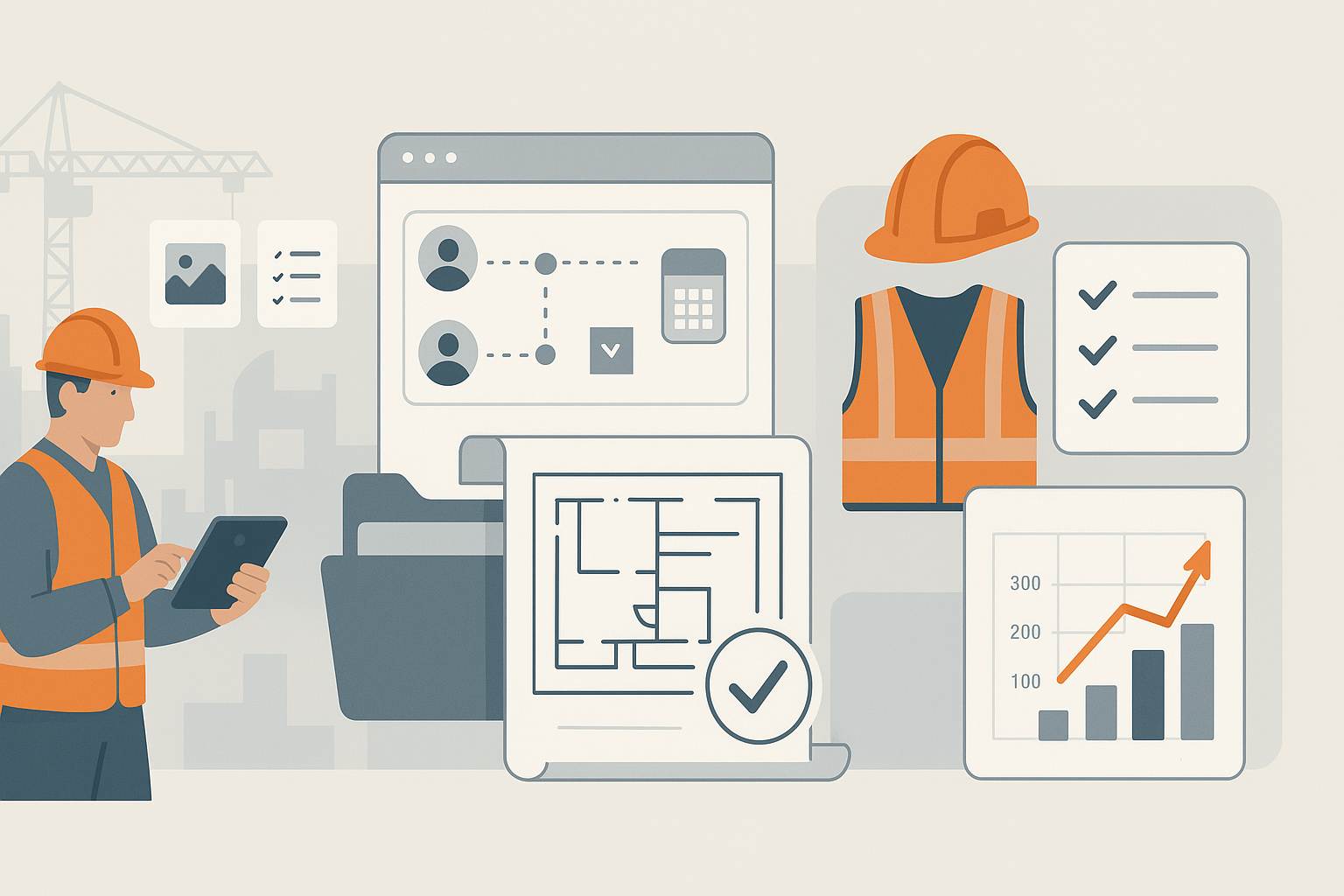
Most products fall into a few categories. Some companies build one focused app; others create a platform with modules. This variety reflects how complex the construction industry is, with different teams solving different problems on the same project.
1. Field reporting & daily logs
Designed for speed. Crews capture photos, notes, and status updates fast. This is often the best starting point for teams new to construction application development.
2. Project management & coordination
Schedules, assignments, RFI flow, approvals, and progress tracking. It overlaps with tools like Procore, but custom builds make sense when workflows are unique.
3. Document & drawing management
Version control for drawings, access to permits, and clear “latest approved” visibility. On site, nothing wastes more time than using the wrong revision.
4. Safety & compliance
Incident reports, tool-box talks, certifications, and inspection logs. Good systems help prevent issues rather than just record them.
5. Cost tracking & change orders
Budget movement, timesheets, purchase orders, and change order approvals. These apps often require accounting integration.
If you’re building apps for construction project teams, a strong approach is to start with one category and make it excellent, then expand.
Advanced Features to Build a Construction Mobile App
“Advanced” in construction usually means “works under pressure.” Job sites bring weak signal, dirty environments, and time constraints. Features that consistently matter:
1. Offline-first workflows (not just offline viewing)
Offline mode isn’t a checkbox. The app should allow users to create logs, attach photos, complete checklists, and update tasks offline - then sync safely later.
2. Photo/video capture that creates evidence
Add timestamps, locations, and job identifiers automatically. This reduces disputes (“when was that taken?”) and speeds up approvals.
3. Role-based permissions
A foreman doesn’t need cost dashboards; a client shouldn’t see internal vendor notes. Permissions are the foundation of trust.
4. Real-time updates without chaos
Notifications must be precise. Too many alerts and crews ignore them. Too few and tasks slip. The system should support “quiet hours” and role-based notification rules.
5. Structured issue tracking
Punch lists, defects, and RFIs need clear status flows: created → assigned → resolved → verified. Avoid free-form messaging for issues that must be auditable.
These are the features that usually separate “a nice demo” from a tool teams actually use when building a construction app for real operations.
Step-by-Step: Building a Mobile App for Construction
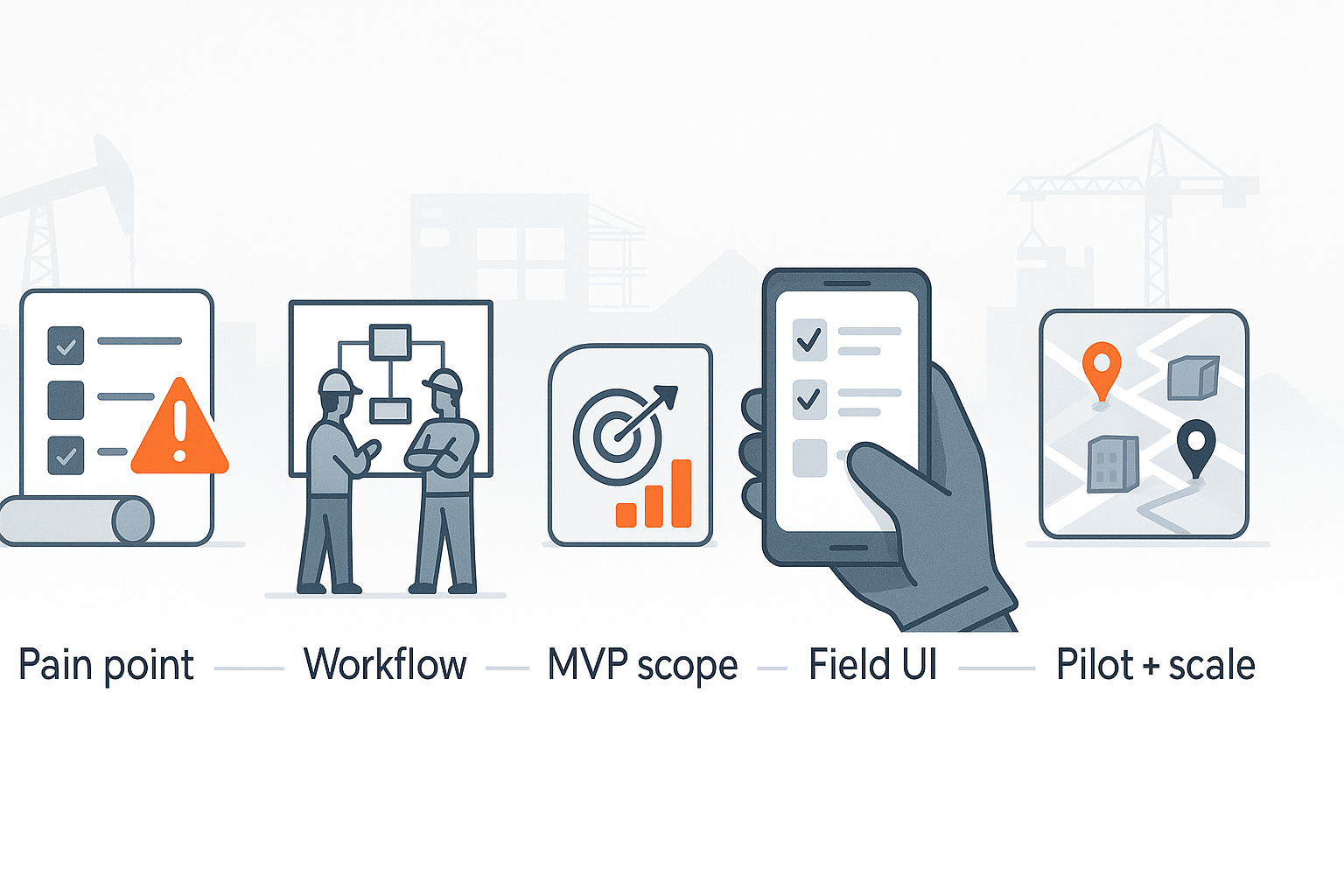
Here’s what a realistic build process looks like.
1. Start with a single operational pain point
Pick one: daily reporting, punch lists, drawing access, approvals. If you try to solve everything, you’ll ship nothing.
2. Map the workflow as it exists today
Not how it should work - how it works on Tuesday when people are busy. This is where good construction app developers spend time: observing, asking awkward questions, and documenting bottlenecks.
3. Define the MVP scope and success metrics
An MVP should deliver one measurable improvement: fewer missed updates, faster approvals, fewer site visits, fewer reworks.
4. Build for field usability
Big buttons. Fast forms. Minimal typing. Clear states. If the UI feels “office-first,” adoption drops fast.
5. Pilot with one team and iterate
Launch to a single site or crew, collect feedback, fix real friction, and only then scale.
This is the safest path to build a construction app that doesn’t become shelfware.
Tech Stack & Architecture
Your tech decisions should support reliability and future growth.
Mobile
- Flutter or React Native for cross-platform speed
- Native iOS/Android when performance and device integration are critical
Backend & APIs
- Node.js / .NET / Java are all common
- REST or GraphQL APIs depending on complexity
- A well-defined permission model (RBAC) from day one
Data & storage
- PostgreSQL for structured workflows
- Object storage for media (photos/videos)
- Local device storage + sync layer for offline-first features
Architecture patterns
- Modular services (so adding features doesn’t break everything)
- Event logging / audit trails for compliance and disputes
- Background sync with conflict resolution
If you plan to build a construction mobile app that expands across multiple sites, you’ll want scalable infrastructure early - not after adoption.
Example: Custom Construction Management Platform (Case Snapshot)
Project context
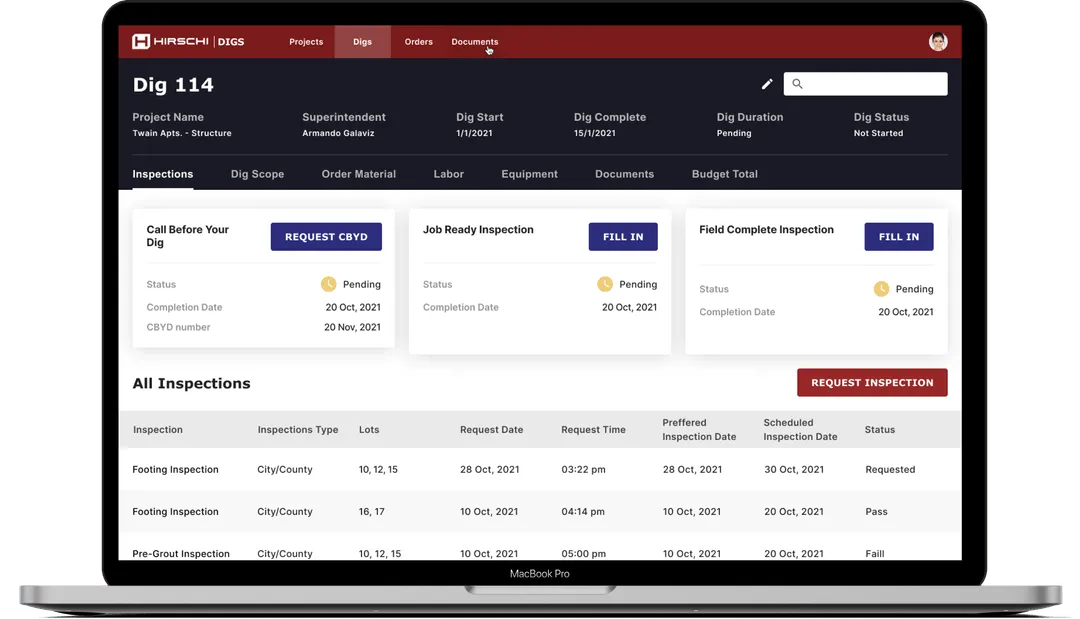
The project was delivered for a construction company based in Nevada, USA. Estimation, coordination, and on-site progress tracking were handled across several disconnected tools, which slowed down collaboration as project complexity increased. The goal was to bring key construction workflows into a single digital environment without disrupting ongoing operations.
Challenge
Pre-construction planning relied on manual calculations, especially when estimating material quantities for individual walls. These calculations were time-consuming, difficult to verify, and often had to be repeated. Progress updates from the field were also inconsistent, making it hard for managers to monitor timelines and budgets in real time.
Solution
The platform was designed around estimation and execution workflows. Material quantities are calculated at wall level using standardized formulas and connected directly to cost estimates. Material ordering and progress tracking are handled within the same system, reducing manual handoffs and improving visibility across projects.
Outcome
Pre-construction planning required less manual effort, and calculation accuracy improved as formulas were reused across projects. Managers gained clearer visibility into timelines and budgets, which reduced the need for late-stage adjustments.
Measured results:
- 94× faster information loading
- 98% of estimation flaws eliminated
- 162% reduction in project estimation time
👉 View the full case study: Construction Management Platform
Cost of Construction App Development
Cost depends on scope, integrations, and offline complexity. Here’s a realistic breakdown.
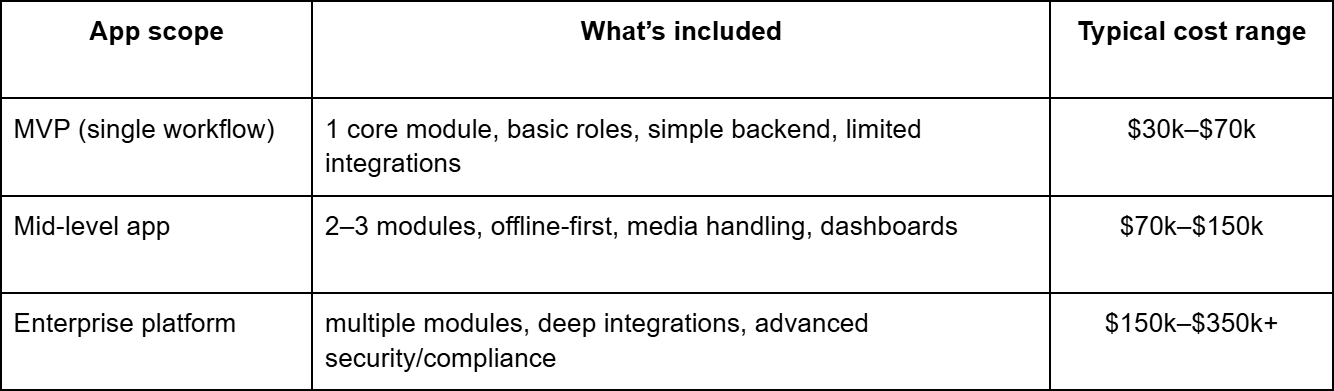
The biggest cost drivers:
- Offline sync + conflict handling
- Media-heavy workflows at scale
- ERP/accounting integrations
- Audit logging and compliance requirements
If you want predictable budgeting, treat scope like engineering, not like wishes. That’s where custom construction app development projects either succeed or spiral.
Selecting a development partner for a construction app goes beyond mobile expertise. Modern construction platforms increasingly rely on data integration, workflow automation, predictive analytics, and AI-enhanced decision support.
Companies planning long-term scalability often evaluate partners offering AI transformation services. This ensures the app architecture aligns with ERP systems, project management platforms, IoT inputs, and reporting tools — positioning the solution not just as a standalone app, but as part of a broader digital transformation strategy.
Checklist: What to Prepare Before You Develop a Construction Mobile App
Before you develop a construction mobile app, prepare these items:
1. Primary user role and top 3 tasks
What do they do daily? What slows them down?
2. Workflow documentation
Screenshots, forms, current templates, sample reports, approval steps.
3. Data structure
Projects, sites, teams, tasks, issues, documents, permissions.
4. Integrations list
ERP/CRM/accounting, document storage, identity providers.
5. Offline requirements
What must work offline? What can wait? What happens on conflict?
6. Security and compliance needs
Encryption, audit logs, access control, retention.
7. Rollout plan
Pilot site → feedback → training → scale.
This prep makes building a construction app faster and cheaper, because the team spends less time guessing.
If you’re considering app development for construction and want to avoid a bloated, low-adoption product, starting with a short discovery phase makes a real difference. At CodeGeeks Solutions, we begin with workflow mapping, MVP scoping, and UX validation with real users - the kind of upfront work that usually saves months later.
👉 Get in touch with our team to discuss your project in more detail.
Final Thoughts
Construction apps succeed when they respect the job site reality: limited time, imperfect connectivity, and the need for audit-friendly evidence. The best products don’t try to “digitize everything.” They remove friction from the workflows that cause delays and rework.
If you treat this as a system - not just a UI - you can create a construction mobile app that teams actually keep open all day.
When defining features, consider opportunities to automate repetitive and data-heavy processes such as material tracking, safety reporting, equipment monitoring, and schedule adjustments.
Integrating AI automation for construction workflows can enhance the app with intelligent notifications, predictive maintenance alerts, automated compliance documentation, and real-time coordination between field teams and back-office systems — improving efficiency while reducing manual overhead.
FAQ
How long does it take to create a construction mobile app?
A focused MVP usually takes 3–5 months. A multi-module platform can take 6–10 months depending on integrations and offline complexity.
How much does construction app development cost?
MVPs often fall between $30k and $70k. Larger products typically range from $70k to $350k+.
Do we need iOS and Android for app development for construction companies?
Usually yes. Cross-platform helps move faster, but some teams go native if device features and performance are critical.
How does offline mode work in a construction application development project?
The app stores changes locally, then syncs when online. A good sync layer handles conflicts (e.g., two users editing the same item) and preserves audit history.
Can you integrate the app with ERP/CRM/accounting tools?
Yes. Integration planning should happen early because it affects data structure and permissions.
How to ensure data security for contractors and clients?
Use encryption, role-based access, secure authentication, audit logs, and least-privilege permissions.
What’s the best MVP for building a construction app?
Start with daily reporting, punch lists, or drawing access - whichever is the biggest daily pain point - then expand after adoption.