
Most Security Operations Centers are in a constant state of overload: alert queues never empty, Tier-1 analysts spend entire shifts triaging noise, and investigations move slowly because context is scattered across SIEM, EDR, IAM, and cloud logs. If your stakeholders need a quick baseline on what a SOC is supposed to do, Microsoft’s overview of what a SOC is and why it exists is a clean alignment tool before you even talk about automation.
AI SOC automation can absolutely help - but only with guardrails. Without boundaries, you don’t reduce risk; you scale the blast radius of bad decisions.
In parallel with AI SOC automation, organizations facing technical debt should also evaluate AI-driven legacy modernization. As legacy systems become harder to maintain, secure, and scale, applying AI to modernization efforts can dramatically reduce migration risk and timelines.
In this guide, you’ll get: a clear definition of the AI role, a practical workflow automation map, an implementation roadmap, and an ROI checklist that lets you answer if AI SOC automation is worth it without guessing.
What Is AI SOC Automation
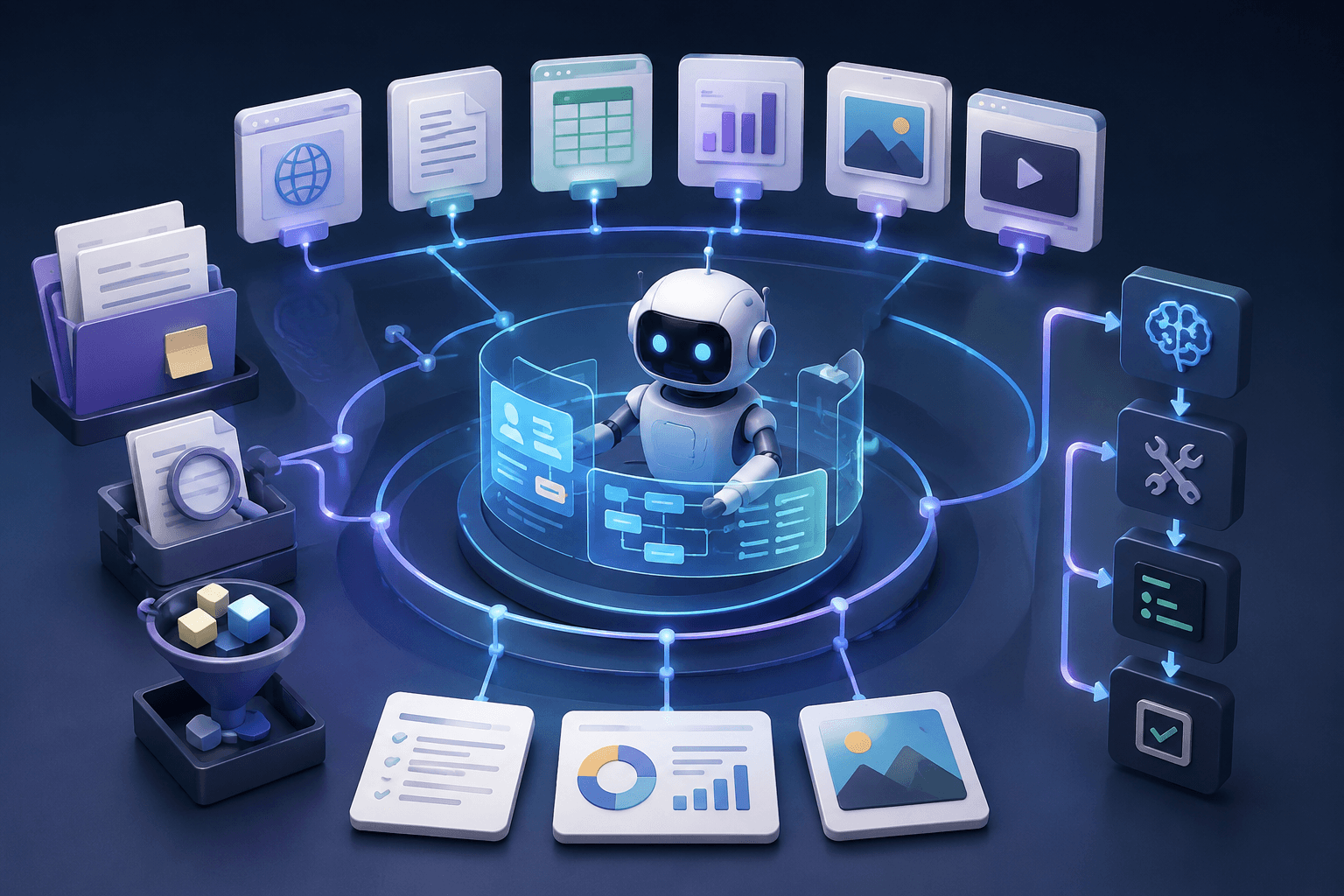
At its simplest, AI SOC automation means applying machine learning and AI (including LLM-based assistants) to reduce manual effort across SOC workflows: triage, enrichment, investigation, response coordination, and reporting. Traditional automation is rule-driven (playbooks, runbooks, triggers). AI adds pattern recognition, prioritization, correlation, and narrative summarization to those steps.
If you want a straightforward foundation for the “automation” side (playbooks, enrichment, response workflows), Splunk’s primer on SOC automation fundamentals is a solid reference point.
Where teams get confused is scope: AI-driven SOC automation doesn’t have to mean “fully autonomous response.” In practice, it usually means:
- triage support (ranking, clustering, explanation)
- enrichment (gathering context automatically)
- investigation acceleration (timelines, cross-tool correlation)
- documentation (handoff notes, incident summaries)
That’s also why you’ll hear the term AI-powered SOC automation used for solutions that keep humans accountable while AI removes repetitive work.
The Real Pain Points AI Should Solve in a SOC
AI only pays off when it targets pain you can measure. The highest-value problems tend to share three traits: repetitive steps, data-heavy reasoning, and verifiable outcomes.
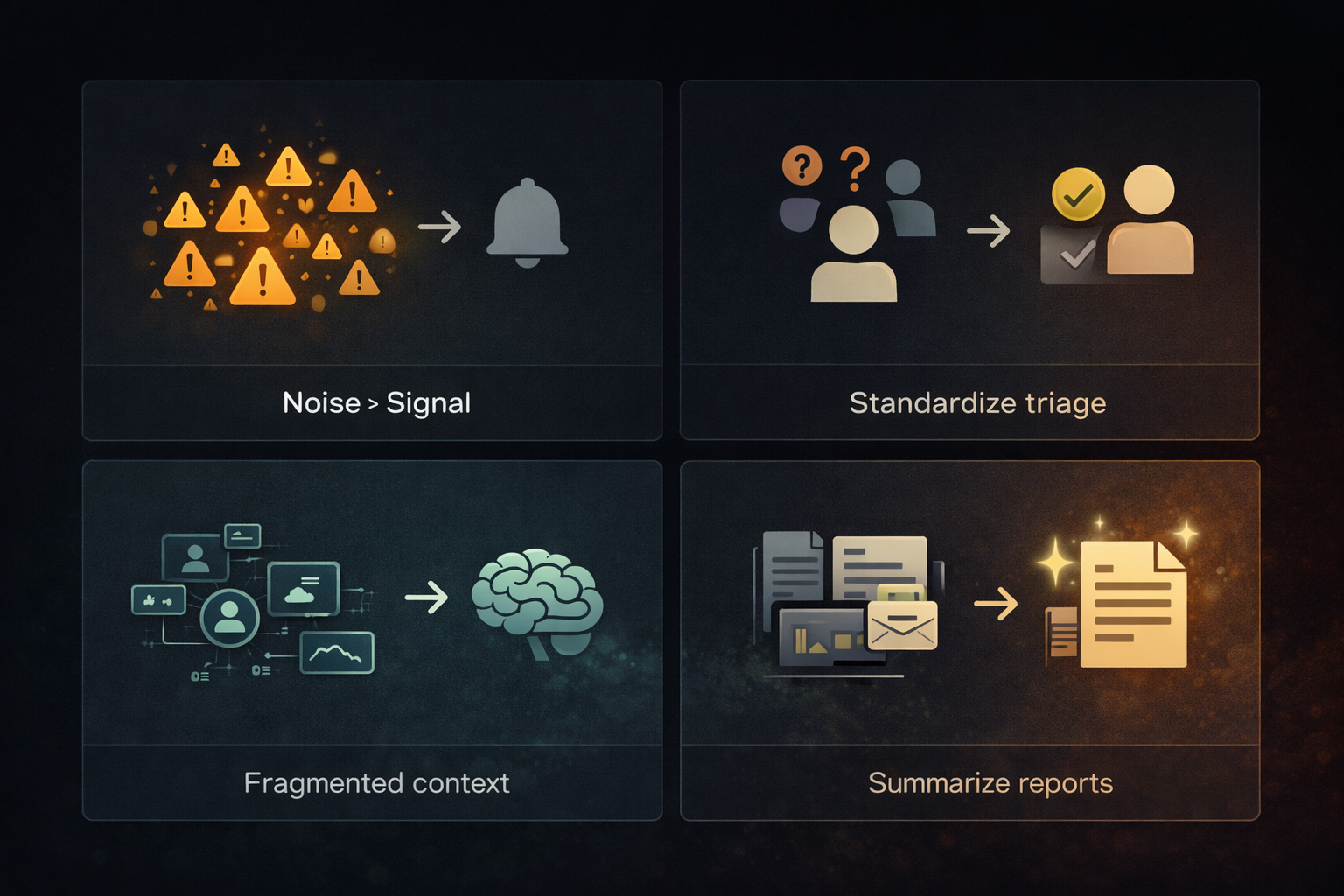
- Alert overload (noise > signal)
SOCs often have detections that are “true” but not important. AI can cluster duplicates, suppress recurring benign patterns, and elevate anomalies with stronger context. - Tier-1 triage inconsistency
Different analysts make different calls based on experience and fatigue. AI can standardize the evidence package and decision rationale so the SOC behaves consistently. - Slow investigations due to context fragmentation
An analyst’s real work is stitching evidence across identity, endpoint, network, and cloud. AI is good at “context assembly,” which is a core part of AI for SOC automation. - The reporting and communication tax
Status updates, incident reports, handoffs, and stakeholder summaries consume time. AI summarization is one of the safest, highest-ROI wins - because it doesn’t require taking destructive action.
If your SOC is missing basic telemetry hygiene (incomplete logs, inconsistent IDs, missing timestamps), AI will produce confident output on shaky ground. IBM’s explanation of what a Security Operations Center does helps frame why process + tooling discipline still matters even in an AI era.
What Role Does AI Play in SOC Workflow Automation?
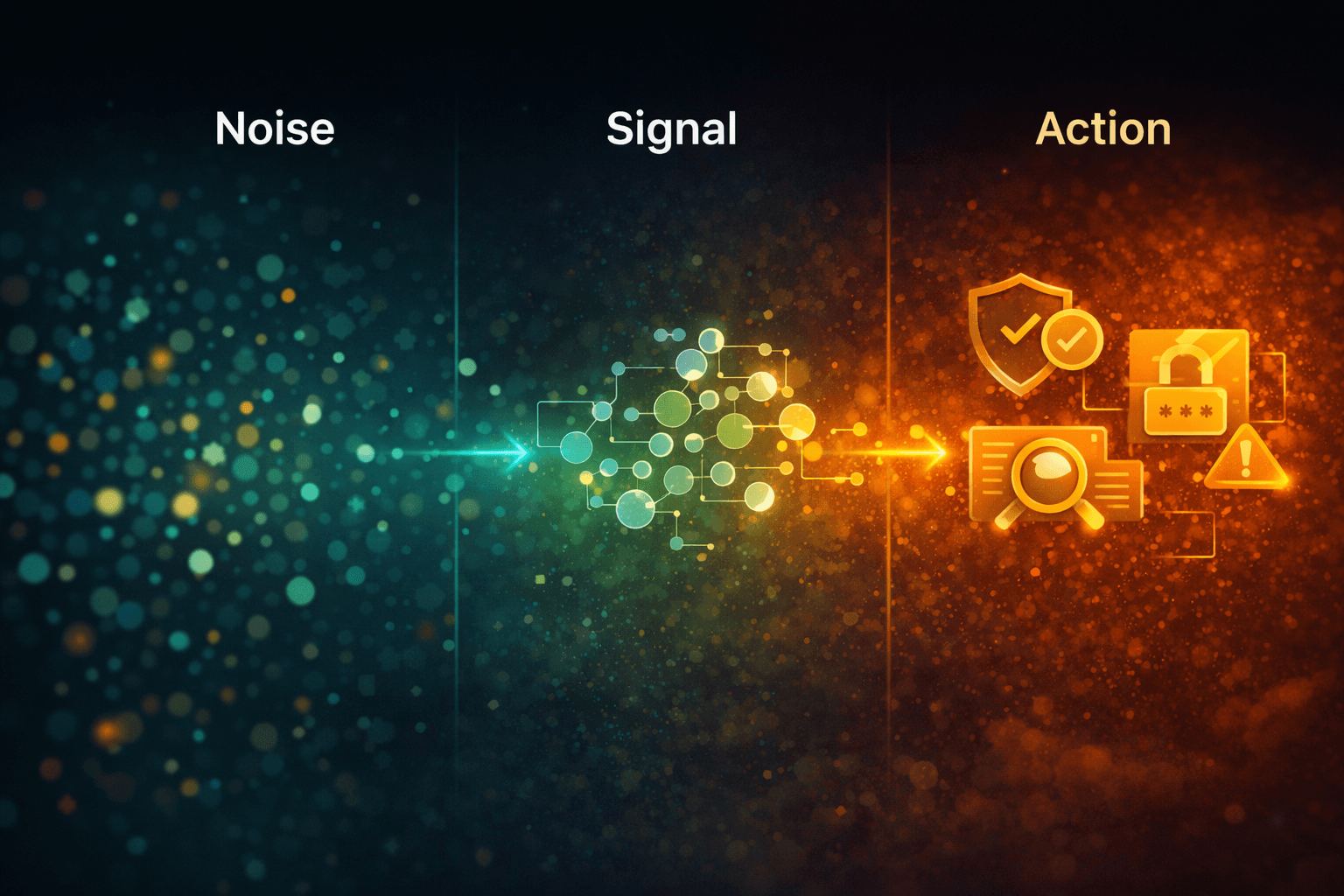
The most useful way to answer what role AI plays in SOC automation is: AI is the co-pilot for decisions and the robot for evidence gathering. It should not be the final authority for high-impact actions.
Define the AI role in SOC workflow automation by workflow stage:
- Detect: improve signal quality through ranking, clustering, anomaly scoring
- Triage: auto-enrich alerts with identity/device context + likely cause + confidence
- Investigate: correlate artifacts, build timelines, surface “next best queries”
- Respond: recommend actions; auto-execute only safe, reversible steps
- Learn: create post-incident summaries; suggest detection tuning and playbook updates
Vendor roadmaps increasingly reflect this “assist + accelerate” model. Palo Alto Networks outlines the shift toward SOCs that use AI to improve detection and streamline operations in their overview of AI SOC solutions and how they reshape SOC work.
So, AI role in SOC workflow automation is not to replace analysts - it’s to reduce the time from “alert” to “explainable decision.”
How Does AI Help in SOC Automation? (Use Cases You Can Deploy First)
If you want fast wins, don’t start with autonomous response. Start with steps that reduce human toil while keeping risk low. Here are practical answers to how AI automation helps in SOC automation that teams can deploy first:
1) Alert enrichment + investigation summaries (the safest first use case)
AI takes an alert and produces a short triage brief:
- what happened (plain language)
- who/what is involved (user, device, IPs, cloud assets)
- relevant history (last 24–72 hours)
- why it might matter (mapped to tactics, weak signals)
- what to check next (queries and artifacts)
This use case alone can cut triage time dramatically and is a clean example of AI-powered SOC automation without dangerous autonomy.
2) Alert clustering and deduplication
Instead of 500 near-identical alerts, analysts get 6–10 clusters with a narrative and key indicators. It reduces Tier-1 overload without touching production systems.
3) Triage decision support with confidence + rationale
AI can propose a disposition (likely benign / suspicious / escalate) as long as it includes:
- evidence citations (where it looked)
- confidence score
- reasoning steps a human can validate
This is where AI-driven SOC automation becomes real value: consistent triage logic, fewer random escalations.
4) Guided investigations for common playbooks
Phishing, impossible travel, suspicious PowerShell, MFA fatigue, credential stuffing - AI can run the standard queries and prepare the escalation packet.
5) Safe, reversible response actions (only after you’ve proven #1–#4)
Examples: disable a user session, isolate an endpoint, block a domain - only if your policy defines reversibility and logging.
If you want a reality check beyond vendor messaging, this community thread on whether AI SOC analysts are the future or just hype captures the two main camps: huge productivity gains vs. overconfidence without guardrails.
How to Leverage AI in SOC Automation (A Practical Implementation Roadmap)
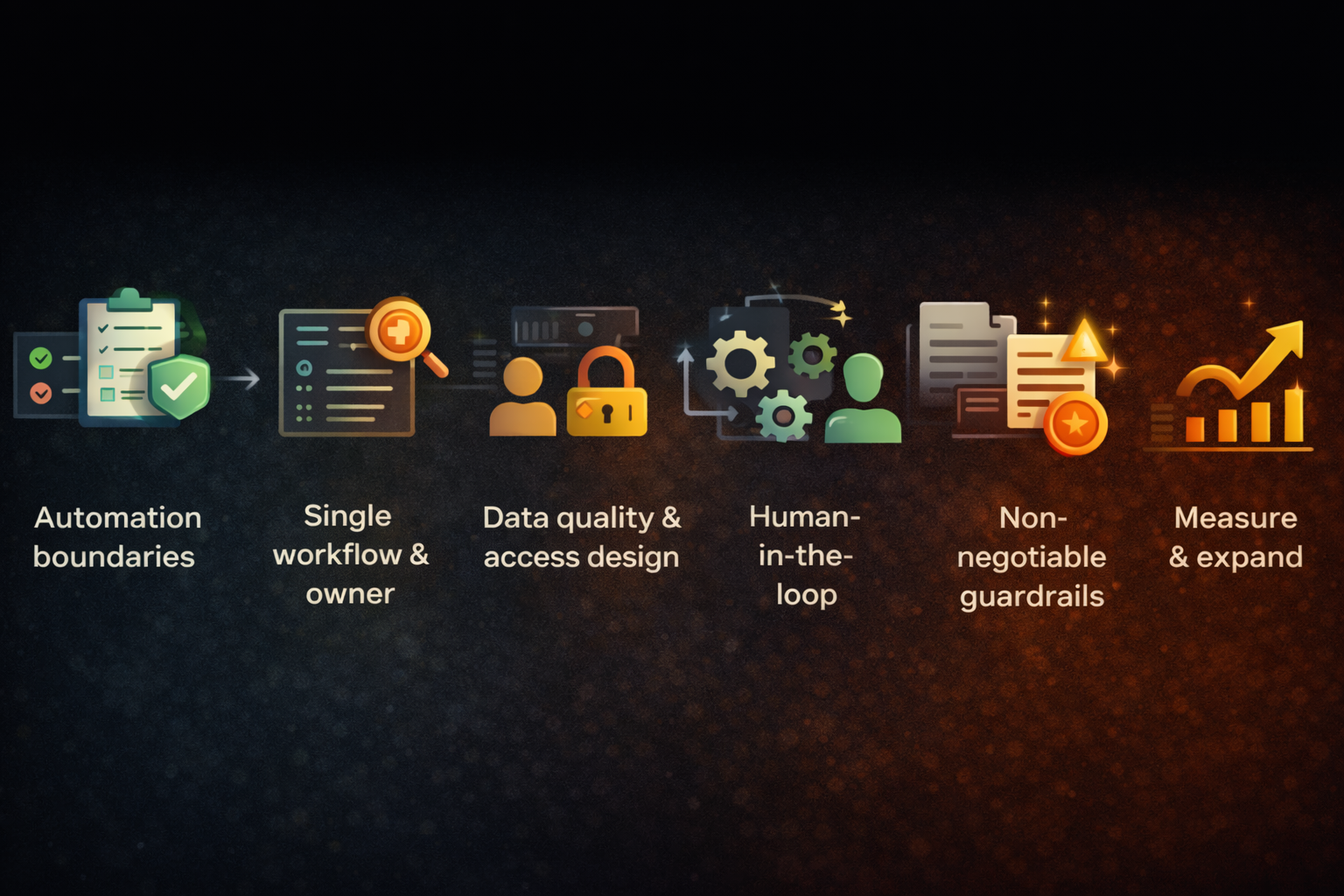
Teams fail by trying to “buy AI” instead of implementing it like an engineering program. Here’s how to leverage AI in SOC automation in a way that survives production.
Step 1: Define automation boundaries (policy first)
Write down:
- what AI can do automatically
- what requires human approval
- what AI must never touch (e.g., firewall changes, production IAM policies)
This prevents “silent autonomy creep.” It’s also the cleanest way to operationalize what role AI plays in SOC automation across stakeholders.
Step 2: Pick one workflow, one outcome, one owner
Example: “Phishing triage brief produced in <5 minutes with evidence attached.”
Not: “AI will run the SOC.”
Step 3: Ensure data quality and access design
AI can’t correlate what it can’t see - and it shouldn’t see what it doesn’t need.
Implement:
- least privilege access
- consistent identifiers
- normalized timestamps
- redaction for sensitive fields
Step 4: Implement “human-in-the-loop” from day one
A practical loop:
- AI drafts triage notes + recommended next steps
- analyst approves/edits
- feedback is captured (what was correct/incorrect)
This is the most reliable path to AI for SOC automation that improves over time.
Designing SOC automation requires more than selecting AI tools. It involves integrating SIEM systems, incident response workflows, ticketing platforms, alert triage logic, and escalation paths into a coordinated, monitored pipeline.
Organizations implementing production-grade SOC automation often rely on AI automation services to architect workflows, define guardrails, integrate security tooling, and establish performance metrics — ensuring automation enhances analyst efficiency without introducing blind spots.
Step 5: Add guardrails that are non-negotiable
- logging/audit trails for AI outputs and actions (where feasible)
- RBAC, secrets handling, prompt injection defenses
- sandbox mode + canary rollout
- “stop button” and rollback for any response automation
Step 6: Measure, tune, then expand
Scale only after you can prove measurable improvements. That’s how to leverage AI in SOC automation without turning it into an endless pilot.
Is AI SOC Automation Worth It? How to Measure ROI Without Guessing
If leadership asks if AI SOC automation is worth it, answer with metrics, not enthusiasm. The ROI case is strongest when your SOC has high alert volume and meaningful Tier-1 toil.
Metrics that matter
Track before/after:
- Mean Time to Triage (MTTT)
- Mean Time to Respond/Resolve (MTTR)
- alert-to-incident conversion rate
- % alerts auto-enriched with complete evidence
- Tier-1 hours/week spent on repetitive steps
- false close rate / reopen rate
These map directly to whether AI-driven SOC automation is reducing noise or just speeding up mistakes.
A simple ROI model
Use a conservative monthly model:
ROI = (Hours saved × Fully loaded hourly cost) + (Incidents avoided × Estimated incident cost) − (Tooling + implementation cost)
Start by counting only tangible savings from enrichment, summarization, and investigation prep. Those are easiest to verify.
When it’s NOT worth it
It’s often not worth it when:
- your alert volume is low and triage is already fast
- your telemetry is unreliable (AI will amplify confusion)
- you lack an owner for continuous tuning and governance
- you’re trying to replace analysts instead of removing toil
For small teams, it can still be worth it - but only if you begin with low-risk wins (summarization, enrichment, clustering) and measure time saved.
Common Failure Modes (Why AI SOC Automation Projects Disappoint)
Most failures repeat the same patterns:
- Automating response before fixing triage
You end up scaling the wrong actions.
- No ground truth and no feedback loop
If analysts can’t label outcomes, you can’t improve reliability.
- Tool sprawl with disconnected data
AI becomes a narrator, not an investigator.
- Overtrusting confident language
AI can sound correct while missing crucial context - especially under pressure.
- Weak guardrails for sensitive actions
This is how over-automation incidents happen: lockouts, service disruption, or missed real threats.
If your roadmap doesn’t explicitly define AI-powered SOC automation limits, disappointment is almost guaranteed.
Best Practices: A “Human-in-the-Loop” Model That Actually Works
A production-safe model looks like this:
- AI does: evidence gathering, correlation, summarization, recommendations
- Humans decide: severity, escalation, and high-impact response actions
- Automation executes: only pre-approved, reversible steps
- Everything is logged: who approved, what changed, why it was justified
This “assist-first” design is the most defensible interpretation of AI SOC automation and the clearest answer to what role AI plays in SOC automation in the real world.
How CodeGeeks Solutions Helps Teams Get AI SOC Automation Right
At CodeGeeks Solutions, we treat AI-driven SOC automation as an engineering program, not a tool rollout:
- workflow mapping (where AI helps vs. where it’s risky)
- policy and guardrail design (boundaries, approvals, auditability)
- measurable pilots with ROI metrics
- production hardening (monitoring, rollback, governance)
To see how we approach delivery and engineering quality, explore CodeGeeks Solutions. If you want third-party validation through client feedback, check CodeGeeks Solutions reviews on Clutch.
Many SOC environments operate on legacy infrastructure that was not designed for AI-assisted workflows. Fragmented systems, undocumented integrations, and outdated tooling can limit the effectiveness of automation initiatives.
In such cases, AI-driven legacy system modernization provides a structured path to refactor security platforms, reduce technical debt, and prepare core systems for scalable AI integration — without disrupting critical operations.
Final Thoughts
AI SOC automation works when you treat AI as a force multiplier with boundaries: define the AI role in SOC workflow automation, start with low-risk high-value use cases, keep humans accountable, and measure outcomes. Done right, AI-powered SOC automation reduces Tier-1 overload, speeds investigations, and improves consistency - without creating a new class of operational incidents.
And if you’re still stuck on the executive question - is AI SOC automation worth it - the honest answer is: it’s worth it when you can prove time saved, quality improved, and risk reduced with guardrails. If you can’t measure those, you’re not automating - you’re experimenting.
FAQ
What role does AI play in SOC automation?
AI primarily accelerates triage and investigation through enrichment, correlation, and summarization. High-impact response actions should remain human-approved to prevent over-automation incidents.
How does AI help in SOC workflow automation?
It reduces noise through clustering and prioritization, assembles context across tools, and produces consistent investigation briefs - so analysts spend less time on repetitive work. This is the practical AI role in SOC workflow automation teams can defend.
What’s the safest first use case?
Alert enrichment + investigation summarization. It’s high impact and low risk compared to auto-response, and it’s an ideal starting point for AI for SOC automation.
Can AI replace Tier-1 analysts?
It can reduce Tier-1 workload significantly, but replacing them fully is rare in practice. Most teams use AI to standardize triage and speed evidence gathering, not to remove accountability.
How do we avoid over-automation incidents?
Define boundaries, require approvals for high-impact actions, use reversible playbooks, log everything, start in shadow mode (AI recommends; humans execute), then expand slowly.
Is AI SOC automation worth it for small teams?
Often yes - if you start narrow (summaries, enrichment, clustering) and measure time saved. If your volume is manageable and your telemetry is weak, it may not be worth the overhead.